One calm page for every question your agents have.
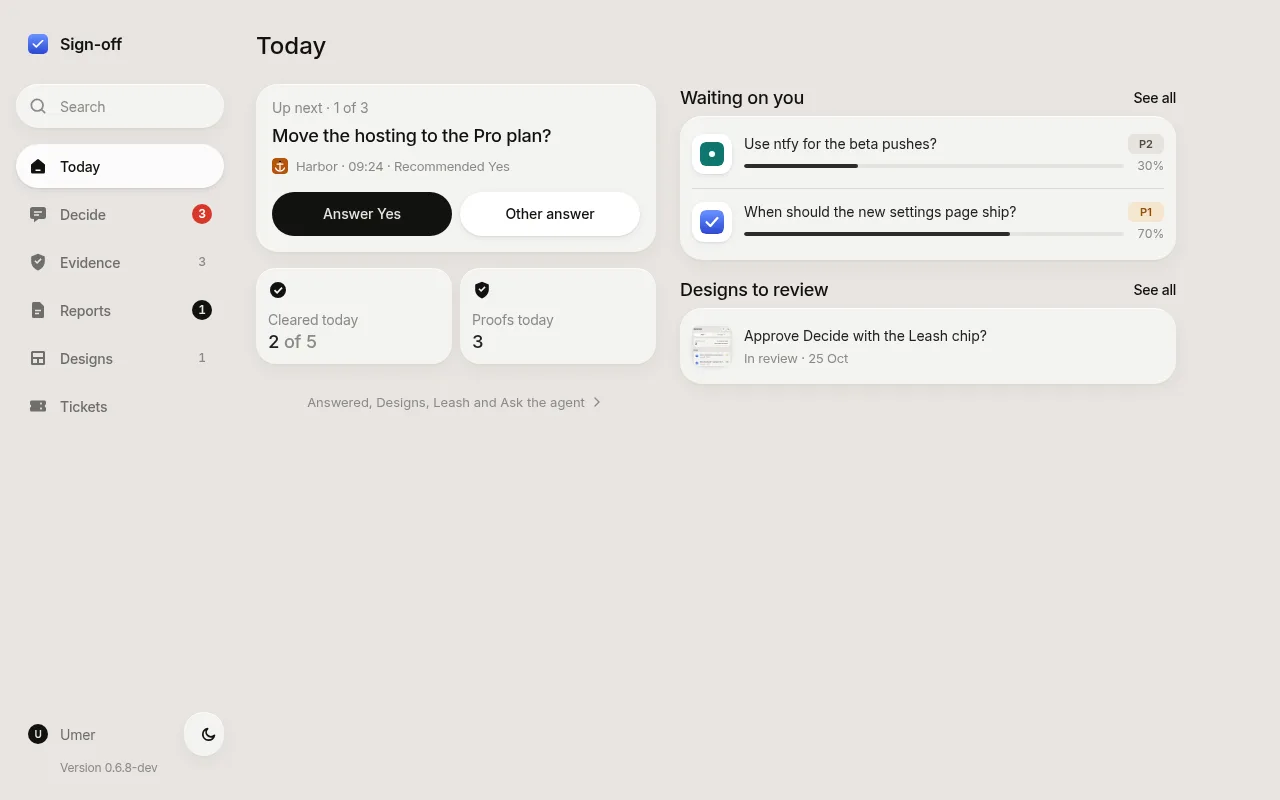
Agents ask; you answer with one tap on your own machine; the answer is saved for the asker to read. Proof of finished work lands on the same page, so you check it instead of taking anyone's word.
Install in 3 steps
From npm, with Node 22.5 or newer. Nothing leaves your machine.
Install
npm install -g sign-off-axi
Set up your project
npx -y sign-off-axi init
Writes .sign-off/ and installs the skill for each coding agent on your PATH.
Open the board
sign-off-axi open
Five places, one tap each
Today, Decide, Evidence, Reports and Tickets: a tab bar on your phone, a sidebar on your desk.


Evidence is not a decision
Decide holds only real asks: things an agent cannot do without your answer. Evidence holds proof, a capture of the running product with the result of the check that made it: Passed, Not run, Failed, Did not finish or Could not check.
A proof update is never counted as something that needs you. Today counts the two separately.
Plans and reports, on their own pages
A plan is what an agent wants to do before it starts: approve or change each section, answer each decision, and send it all back at once.
A report is an explanation you asked for: the answer first, then a diagram and steps to tap through. The board, not the agent's page, owns the answer buttons.

Sign-in cards
When an agent needs you to log in, a sign-in card goes to the top of Decide with the service, what it unlocks, who is waiting and the time left on the link. Tap Open; the agent closes the card when it worked.

It keeps only what matters
A board that fills with noise stops being read, so the rules sit at the door.
- A question must say why it is asked, what each answer does, which one the agent recommends and what happens if you stay quiet, or it is refused.
- One decision is one card: the same question again changes nothing.
- Proof posted as a Pass/Fail question, and proof that is mostly text or a placeholder, is refused: proof goes to Evidence.
- Dismiss hides a card; Undo brings it back.
Works alone, or with its siblings
The CLI and the skill need no other tool and no supervisor. They connect through one small written contract.
done-done
Verification. Posts its proof as Evidence and holds a run for your Approve or Fix first.
learn-from-mistakes
Retros. Posts each proposed change as a finding for you to Apply or Skip.
first-draft
Design. Its review links show on a design card as real links to the mock-up.
Inside an agent supervisor or a lone agent in a terminal: both post the same asks, plans and reports and read the same answers.